Fleet views
Three ways to see all your services at once: the dashboard in a browser,
pacto fleet in a terminal or CI job and pacto tui in an interactive
terminal. All three read the same operational graph,
the joined view of your contracts, their versions and where they run. An AI
agent asks the same questions through the pacto_fleet_* tools of
pacto mcp --fleet.
The contract-to-infrastructure side is in For platform
engineers.
Dashboard
pacto dashboard opens a web dashboard over the same contracts the CLI manages
and the operator checks. It has four views: what needs attention now, the
service list, the Operational Graph and change
analysis. It finds its sources at startup and merges them per service. Next to
the Kubernetes operator it needs no OCI arguments: it reads the registry
addresses from the resolvedRef field in each Pacto resource's status, then
shows version history, interfaces, configuration schemas and diffs. See the pacto dashboard
reference for its flags and environment
variables.
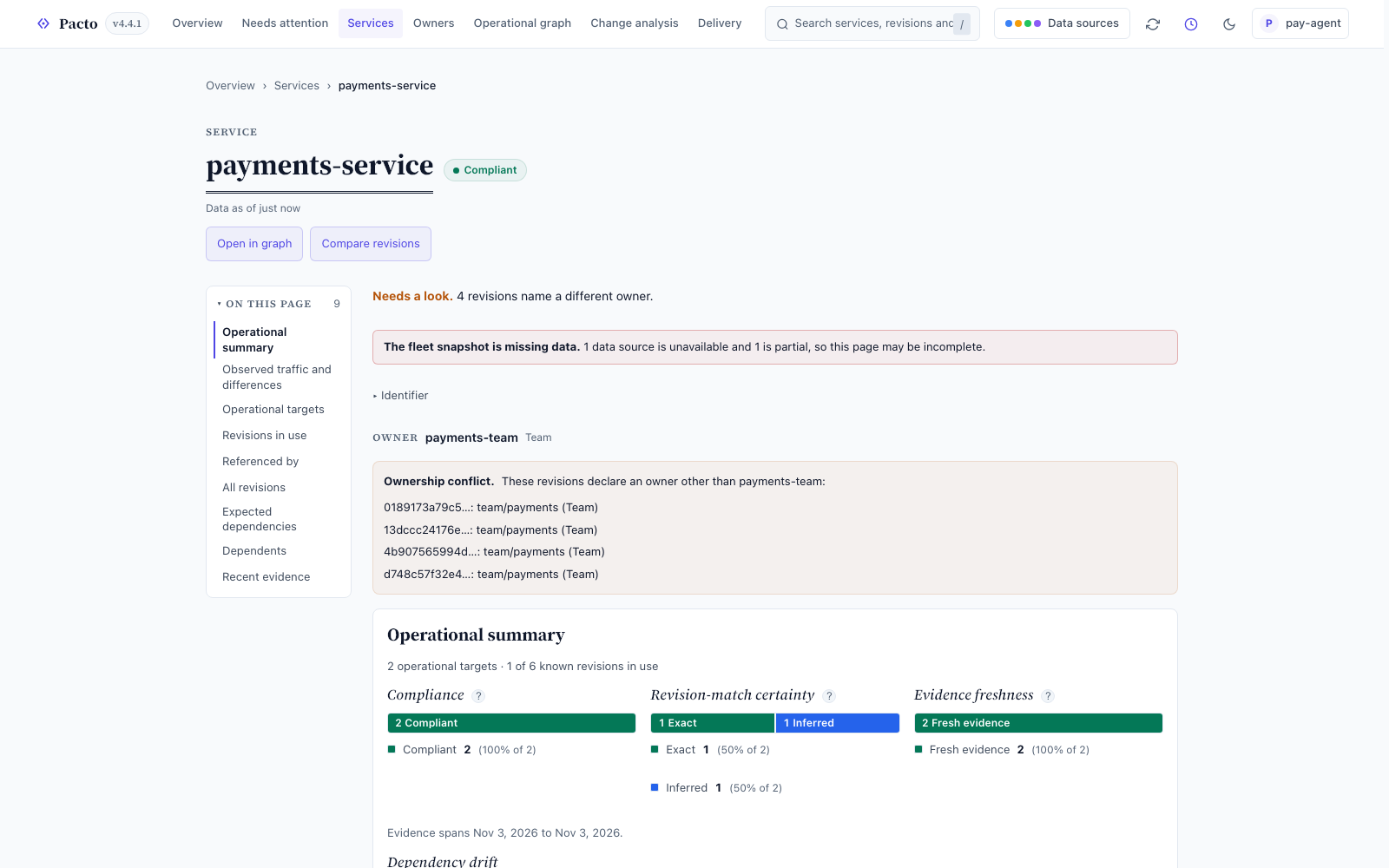
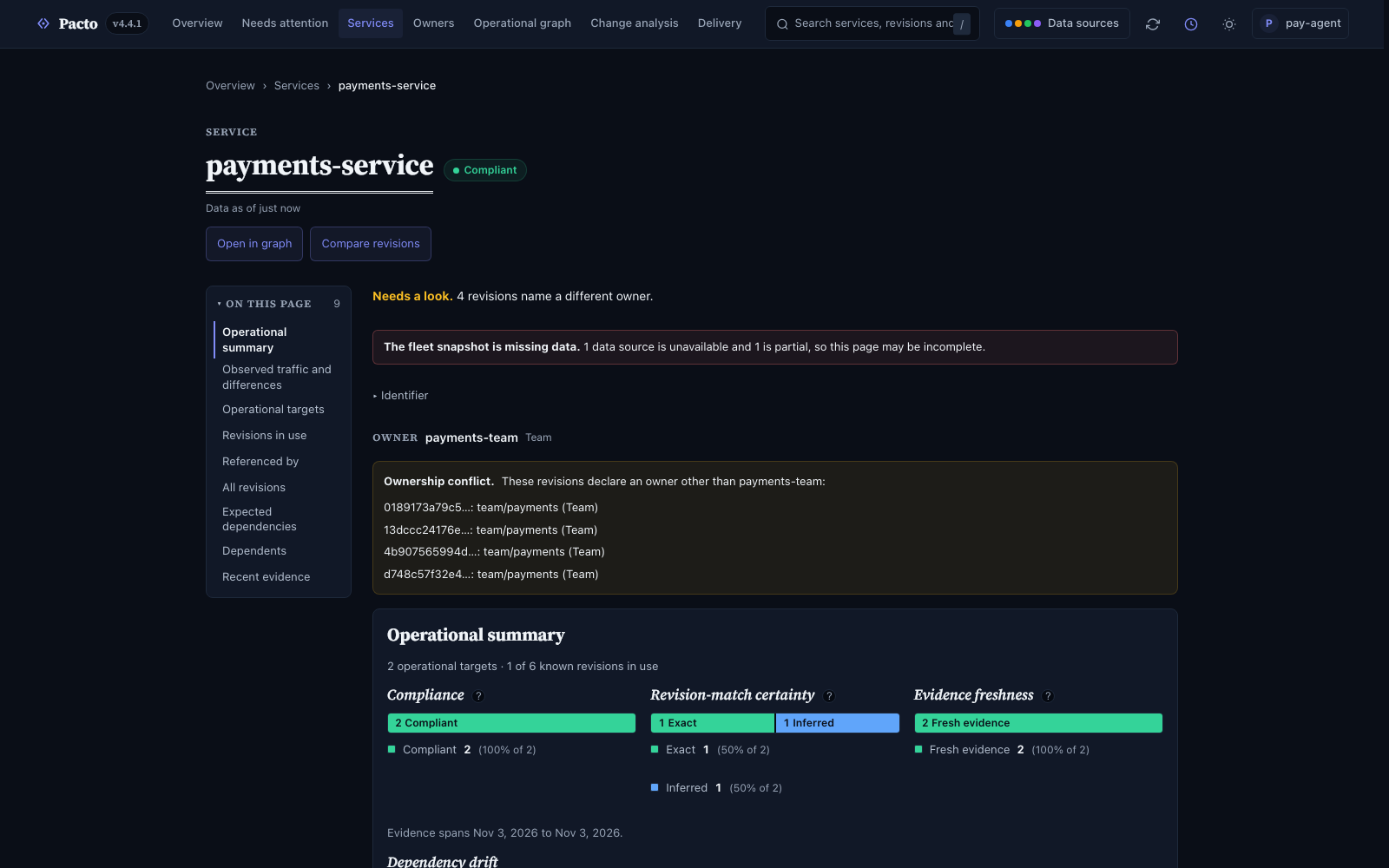
Its HTTP API is described at /openapi.json; see Dashboard container.
Fleet queries without a browser
pacto fleet answers the same questions from a terminal or a CI job: it builds
one snapshot from the sources you name, then queries it with search, get,
graph, status and explain.
$ pacto fleet search --local ./contracts --oci ghcr.io/acme/unreachable-pacto:1.0.0
1 of 1 service(s):
  payments-api                 NotEvaluated owner=acme/payments  revs=1 targets=0
warning: answer is partial (as of 2026-08-23T01:30:40+02:00)
  - [SOURCE_PARTIAL] source oci returned a partial result
  - [SOURCE_RECORD_INVALID] ref ghcr.io/acme/unreachable-pacto:1.0.0 could not be resolved: artifact not found: ghcr.io/acme/unreachable-pacto:1.0.0
Read the completeness before you read the rows. Pacto reports an unreachable
registry, so a service missing from a partial answer may be one the missing
source knew about. Likewise 1 of 1 is this page of total matches. --output-format json carries the
same facts in a meta envelope for a CI job to branch on, and
query semantics has the five operations
and the knowledge vocabulary behind
completeness.
The terminal UI
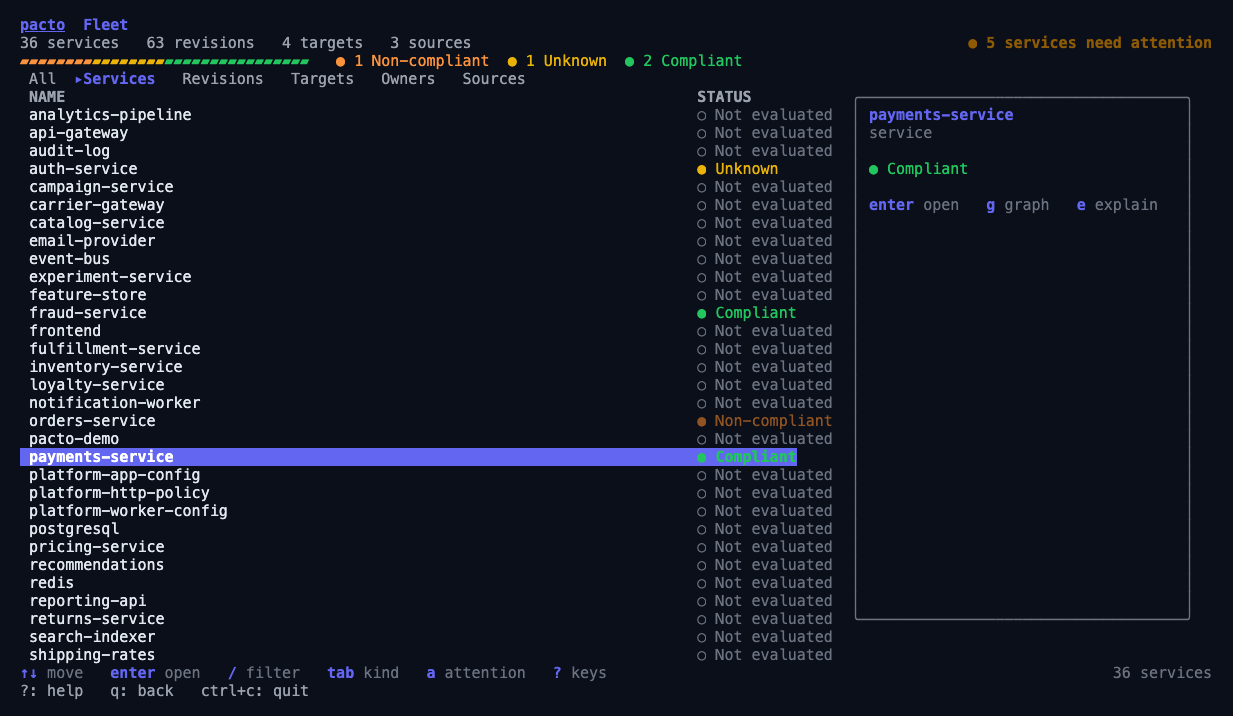
pacto tui is the dashboard's terminal equivalent, built over the snapshot
pacto fleet builds and taking the same source flags. It loads that snapshot
once and opens on the Services tab. From there you move through services,
revisions, targets, owners and sources, with whatever row is highlighted standing
in as the argument, so you never type a path. It needs an interactive terminal;
in a pipeline, use the plain commands.
One difference from the dashboard matters more than the rest: the dashboard
only reads and the TUI also writes. Read verbs run in-process against the loaded
snapshot. Write verbs shell out to this same binary so they own the terminal.
Each one names what it is about to change before it waits for a y: the
directory a pull will overwrite, the resolved plugin binary, the output directory
a generate will write. Pass --read-only to remove the four write verbs from
the in-TUI help screen.
# whatever bundles are under the current directory
pacto tui

# a populated screen from the committed demo fixture
pacto tui --local examples/demo/bundles \
  --target-state examples/demo/fleet-targets.yaml \
  --traces examples/demo/traces.json --freshness 24h

# the same demo with no clone at all, straight out of the registry
pacto tui --root oci://ghcr.io/trianalab/pacto/pacto-demo:1.0.0 --local ""
The second command needs a clone and a paste from the repository root; it opens
on 36 services and 4 operational targets. The third needs nothing on disk:
--root follows the published contract's dependency declarations and pulls 12 of
the demo's 36 services out of ghcr.io, and --local "" switches off the default
directory scan. A registry has no record of where anything runs, so every
service reads NotEvaluated until you add the --target-state fixture.
Keys
| Key | Action |
|---|---|
tab / shift+tab |
cycle the tabs: kinds on the list, categories under a, direction on a graph |
/ |
filter; enter applies it, esc discards what you typed |
enter |
open the highlighted row |
a |
what needs attention |
+ / - |
graph depth |
? |
toggle the key table for the current screen |
r |
reload the snapshot |
q |
back, or quit from the root screen |
esc |
clear an applied filter, otherwise the same as q |
y |
copy the equivalent pacto command |
v |
validate the selected bundle |
E / e |
explain the bundle, or explain it from the fleet's point of view |
l |
check the lock file |
d / i |
diff or impact between two selections, pressed twice |
g |
the selection's neighborhood graph |
p / P |
push, or pull (writes; asks first) |
L |
rewrite the lock file (writes; asks first) |
G |
run a generate plugin (writes; asks first) |
y copies the command you would have typed to the clipboard, so you can run
anything the TUI has no key for. The line is shell-quoted, so a value
carrying a space or a semicolon still pastes as one argument. With no clipboard, for example over
ssh or on a headless box, the TUI prints the line and the reason it could not
copy it. See the pacto tui
reference for every flag.